E-signature payment and installment options mean seeing the real total by separating the installment choice on the payment screen from the card campaign the bank offers later. A proper comparison requires looking at the installment difference, card eligibility, and refund terms—not the monthly payment amount. The fine print can sometimes cost you dearly.
How to Check the Installment Option in E-Signature Payment
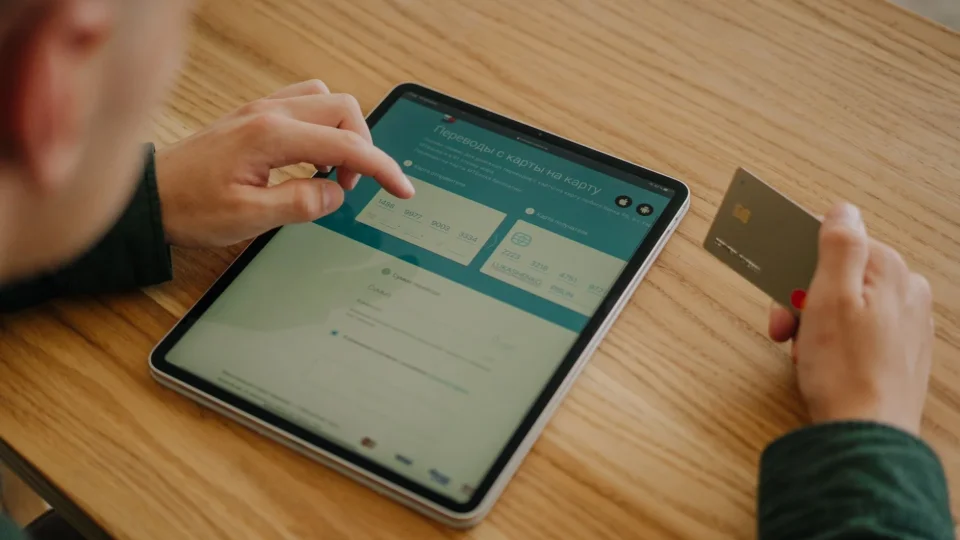
The installment option is confirmed on the payment screen when card details are entered before completing the order. If the number of installments, the amount of each installment, and the total payment are not visible on the screen, an installment transaction should not be assumed. A payment page may show only a single payment amount; even if the bank offers the option to split the card transaction later, this does not mean the seller applied installments. Taking a screenshot is a practical safeguard.
It is normal for options to vary based on the first digit of the card number; within the same bank, the card type, whether the card is personal or corporate, and current rules can produce different results. If installments do not appear, first recheck the selected package, then the card type and the total on the payment page. If the campaign text includes a date, also verify that it matches the transaction day. An old announcement is not a current entitlement.
The information shown on the payment screen is more meaningful for the moment of the transaction; still, the campaign terms should be read through the bank's official channel. In particular, assuming that renewal and initial application have the same payment method can be wrong. Since package and application details may change, the e-signature before purchase process, package, and application guide helps clarify the scope of the decision.
The Difference Between Provider Installments and Bank Campaigns
A provider installment is the installment format selected directly at the payment step; a bank campaign is a separate application that works later for the cardholder under conditions set by the bank. Although both paths result in installment payment, the proof, cost, and cancellation flow are not the same. If the distinction is not made, unexpected differences arise.
Option | Provable information | Total cost control | Limitation |
|---|---|---|---|
Upfront payment | Single payment amount on the payment screen | Record the visible amount | May strain cash flow |
Provider installment | Installment count and total amount on the screen | Compare the monthly amount with the number of installments | May not appear on every card |
Bank campaign | Bank's official campaign terms | Review the card transaction and campaign description | Card type or date may be excluded |
For example, seeing three installment options on the payment screen does not mean the bank campaign will extend to six months. Conversely, while the screen shows a single payment, the bank app may show a splitting option after the transaction. Deciding without reading the transaction type, minimum amount, participation step, and card coverage specified by the bank is risky. Since campaign terms are variable, check the current official channel.
Total Cost, Installment Difference, and Refund Terms
The real cost is understood not by the attractiveness of the monthly installment amount but by the total that will be charged to the card at the end of the payment. If there is an installment difference, commission, or transaction fee, clearly ask at which stage they are added. The refund condition is also part of the same calculation. Because in a canceled transaction, the way installments are reflected on the card can vary according to the bank and payment infrastructure.
Perform the check in this order:
Note the upfront amount on the payment screen.
Record the total payment written for each installment option separately.
Ask for an explanation of the difference between the total and the upfront amount.
Read from the written terms how the charge will be reversed in case of cancellation or refund.
If a corporate card is used, verify installment eligibility before the transaction.
A monthly amount may seem low, but if the total payment is higher, the direction of the decision changes. During a refund, whether the amount returns to the card in a single payment or in connection with installments may depend on the bank's own accounting flow. Instead of expecting a firm time promise, examine the written refund clause. A condition left unclear should be asked before payment.
Which E-Signature Installment Option Makes More Sense?
The most sensible choice is not just the longest installment period but the one that evaluates total cost and card eligibility together. Upfront payment can be a simple path if the total amount does not change; installments can ease cash planning, but if they create an additional difference, the value should be questioned. There is no single answer for everyone.
It should not be assumed that a campaign visible on a personal card will work on a corporate card. For a payment made on behalf of a company, the card type, the bank's commercial card rules, and document requirements should be confirmed before the transaction. For those considering renewal, the e-signature renewal package selection for sole proprietorships content helps separate the duration and package decision from the payment decision.
Before deciding, put the upfront amount, the total installment amount shown on the screen, and the bank's official terms side by side. Do not complete the transaction without reading the refund clause. Check the current package content, price, and application conditions from the Nagdos e-signature catalog.
Can installments be made when purchasing an e-signature?
Installments may be possible if they appear on the payment screen or if the bank's official campaign terms cover the transaction. It cannot be said that the same application is valid for every package, card, or transaction. Before the transaction, the number of installments, total amount, and card eligibility must be verified.
Which e-signature packages do bank campaigns apply to?
Which package the campaign covers is understood from the current information stated in the bank's terms and on the payment page. The package type, transaction amount, card nature, or campaign period can change the coverage. Exceptions in the announcement text should be especially checked.
How much is the installment difference in installment payment?
A fixed amount cannot be given for the installment difference; the difference between the total amount on the payment page and the upfront amount should be taken as the basis. A bank campaign may have a different cost or condition. Make the decision based on the total payment, not the monthly amount.
Frequently Asked Questions
Can installments be made when purchasing an e-signature?
When it comes to e-signature payment and installment options, first define your needs and priorities clearly; this makes it easier both to find the right option and to align expectations with the outcome.
How much is the installment difference in installment payment?
The cost on the e-signature payment and installment options side varies according to scope, selected features, application conditions, and additional requirements. It is important to clarify the total cost before deciding.
Which e-signature packages do bank campaigns apply to?
When it comes to e-signature payment and installment options, first define your needs and priorities clearly; this makes it easier both to find the right option and to align expectations with the outcome.